

How to Safely Charge and Care for Your Devices

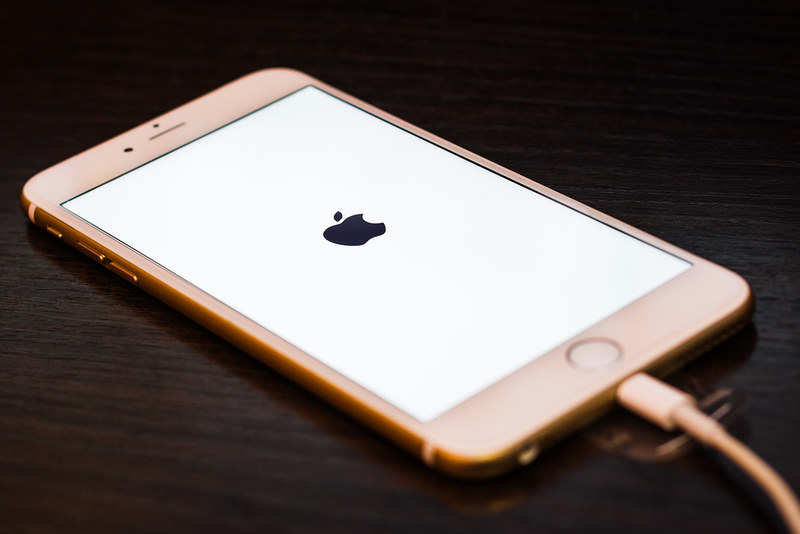
Photo source: openverse, SmartMobileGear, Flickr
Smartphones, tablets, hearing aid chargers, and medical alert devices have become part of daily life for many older adults. These devices help with staying connected to family, managing health, and enjoying entertainment. But charging and caring for electronics safely is not always common knowledge, especially if you did not grow up using these gadgets. This guide walks through simple, practical steps to keep your devices working well and your home safe.
Why Device Safety Matters
Charging mistakes are a leading cause of house fires and device damage in homes across the country. Older or damaged chargers, overloaded outlets, and devices left charging unattended can create real hazards. The good news is that a few easy habits can greatly reduce these risks while also helping your devices last longer.
Use the Right Charger for Your Device
Every device is designed to work best with a specific charger. Using the charger that came with your phone, tablet, or hearing aid is the safest choice. If a charger is lost or stops working, buy a replacement from the device manufacturer or a trusted retailer rather than the cheapest option available. Poorly made chargers can overheat, charge unevenly, or even damage your device’s battery over time.
If you use a charger that did not come with your device, check that the voltage and plug type match what the manufacturer recommends. This information is usually printed on the original charger or found in the device manual.
Inspect Cords and Cables Regularly
Before plugging in a device, take a moment to look at the cord. Frayed wires, exposed metal, or a cracked plug are signs that a cord should be replaced. Continuing to use a damaged cord increases the risk of electric shock or fire. It is worth checking your charging cables every few months, especially if you have pets that chew on cords or if cables get pinched under furniture.
Avoid Charging Devices While You Sleep
It is tempting to plug in a phone or tablet on the nightstand and leave it charging overnight. However, charging devices for many hours beyond a full charge can generate heat and stress the battery. When possible, charge your devices during the day while you are awake and nearby. This way, if anything unusual happens, such as a strange smell or excessive heat, you can notice and unplug the device right away.
Do Not Charge Devices Under Pillows or Blankets
Heat needs a way to escape while a device charges. Charging a phone or tablet under a pillow, blanket, or thick fabric can trap heat and create a fire risk. Always charge devices on a hard, flat surface such as a nightstand, desk, or kitchen counter, away from bedding and curtains.
Give Outlets Room to Breathe
Plugging too many devices into one outlet or power strip can overload the electrical circuit. This is especially true in older homes with outdated wiring. Spread out your charging devices across different outlets when you can, and avoid stacking multiple power strips on top of each other. If you notice an outlet feels warm to the touch or you smell anything unusual, stop using it and contact an electrician.
Unplug Devices Once They Are Fully Charged
Leaving a device plugged in long after it reaches a full charge is not necessary and can wear down the battery faster. Many modern phones and tablets are designed to stop drawing power once fully charged, but unplugging when convenient is still a good habit. This also reduces standby electricity use and keeps cords from being a tripping hazard.
Keep Devices Away from Water
Charging a phone or tablet in the bathroom or kitchen near sinks, tubs, or running water increases the risk of electric shock. Keep chargers and plugged-in devices at a safe distance from any water source, and always dry your hands before touching a charging device or outlet.
Clean Charging Ports Gently
Dust, lint, and debris can build up inside charging ports over time, making it harder for the cord to connect properly. This can lead to slow charging or a connection that feels loose. A soft, dry toothbrush or a wooden toothpick can help gently remove debris. Avoid using metal objects, which can damage the small pins inside the port.
Store Devices at Room Temperature
Extreme heat and cold can affect battery performance and lifespan. Avoid leaving phones, tablets, or hearing aid chargers in a hot car, near a sunny window, or in a cold garage. Storing devices at a comfortable room temperature helps them function properly and charge more efficiently.
Watch for Warning Signs
A device or charger that feels unusually hot, makes a buzzing sound, sparks, or has a swollen battery should be unplugged immediately and set aside. Continuing to use a device showing these signs can be dangerous. If you notice any of these warning signs, it is best to stop using the item and speak with a family member, carer, or professional about next steps.







